Fake IT Support Call: What to Say
- What happened: fraudsters are phoning employees claiming to be IT support. This is the alert from the Canadian Centre for Cyber Security, on October 28.
- The trick: getting you to type your password and code into a fake sign-in page.
- Who is targeted: Canadian organizations, especially law firms and financial companies.
- What to do: hang up, then call back yourself at the official number you already know.
This article relies on the sources cited at the bottom of the page (official notices and, depending on the topic, specialized press). Despite our checks, an error is still possible: when in doubt, the original source prevails.
The phone rings: someone says they’re calling from IT support. This kind of fake IT support call is circulating right now in Canada, and one simple reflex stops most of these calls: hang up, then call back yourself. Good news: anyone can do it.
📞 What does the October 28 alert say?
In its alert AL26-028, the Canadian Centre for Cyber Security describes an ongoing campaign: fraudsters are calling employees while posing as internal IT support. This alert is our only source: we did not find a second outlet to confirm it.
How does the trick unfold?
Here are the five steps:
- A call comes in: the person says they’re from IT support.
- They send you to a fake sign-in page.
- What you type goes straight to the real service too, password and code included: the fraudsters get into your account as if they were you.
- The fraudsters add their own verification methods to your account.
- They copy data stored in Microsoft 365, the online service where documents and emails are kept, then demand a payment.
It can all be stopped at the first step.

🔑 Why isn’t the verification code always enough?
Two-factor authentication asks you for a code in addition to your password, often received on your phone. It is still useful, but here the fake page forwards that code to the real service too.
That is why the alert recommends, for important accounts, security keys, small objects you plug in or hold near the device.
How do you recognize a fake call?
Any one of these signs is enough to hang up, and no one will hold it against you.
- You didn’t ask for this.
- You’re sent to a sign-in page. A link, a site to open.
- You’re asked for a password or a code.
- You’re being rushed.
🛑 What should you say to a fake IT support call?
Simply say: “I’ll call you back.” Then hang up, without arguing and without explaining yourself. It may feel rude, but it’s the right reflex.
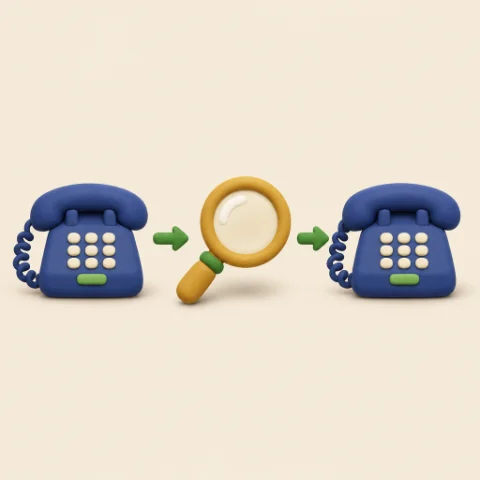
Look up the official number yourself on your company’s website, on an invoice or on a card, never the one the caller gives you. Call back, and ask if the call really came from them.
And what if I already gave my password or a code?
It can happen to anyone. React quickly, in this order:
- Change your password from a trusted device.
- Open the list of sign-in methods saved on your account, and remove any you don’t recognize.
- Notify the person responsible for IT right away.
- Don’t pay anything without talking to your company first.
- Agree, as a team or a family, to answer: “I’ll call you back.”
- Write down, somewhere everyone knows, the official number for your IT support or your provider.
- For your important accounts, turn on two-factor authentication, and a security key if one is offered.
- Check the sign-in methods saved on your accounts.
- Use a different password for each important account.
💡 In short. No tool and no habit is foolproof.
Remember one single line: “I’ll call you back.” Say it without hesitation: it’s what cuts the trick short. 😊
🏡 Does a Home lab change anything here?
A Home lab does not protect against this fraud: it targets Microsoft 365 accounts, and everything hinges on your own reflexes. It does bring something else: a server not directly exposed to the Internet, a backup scheduled every night and, if you keep it, a monthly offline copy and, with the optional monthly support plan, updates that are followed through. See Home lab and our articles.
Frequently Asked Questions
Why hang up instead of talking it through?
Because the caller is trying to rush you. By hanging up, you take back control and call back at your own pace.
Is two-factor authentication useless, then?
No, it’s still useful, but a security key protects better against this particular trick.
Can an individual be targeted?
The alert talks about organizations, but since the trick is simple, the reflex is worth keeping for everyone.
🔎 Learn more
What alert AL26-028 says. In October, activity was concentrated on the legal sector. The alert attributes these methods to a financially motivated group, which it does not name. SharePoint and OneDrive are part of Microsoft 365.
Security keys and passkeys. For important accounts, the alert recommends security keys or device-bound passkeys. This protection is described as phishing-resistant, meaning resistant to traps that imitate a site or a message to steal information from you. The point of these steps is to make the trick slower and harder to pull off.
Two more recommendations. The alert advises verifying any password-change request made by phone through a different channel than the call itself. It also advises watching for new verification methods added to accounts.
To follow new alerts. Check the list from the Canadian Centre for Cyber Security, cited below.
Sources
Want to check for yourself? The links below lead straight to the original texts: feel free to take a look, it’s always worth it.
- Canadian Centre for Cyber Security, alert AL26-028 (October 28, 2026): www.cyber.gc.ca/…al26-028-ongoing-help-desk-voice-phishing-campaign-targeting-canadian-organizations
- Canadian Centre for Cyber Security, list of alerts: www.cyber.gc.ca/en/alerts-advisories